Group Trip Planner Template That Actually Works in 2026
August 31, 2026·MyPerfectStay
You're staring at a WhatsApp thread that has already produced competing dates, conflicting budgets, and no actual decision. Someone keeps asking, “What does everyone want to do?” while the organizer compares flights, checks dietary needs, chases replies, and absorbs every tie-breaker. By the time the group agrees on Paris, London, Lisbon, or Marrakech, the person doing the work may already resent the trip.
A useful group trip planner template shouldn't be a prettier checklist. It should act as a lightweight decision engine. The right design captures private preferences, exposes constraints, turns overlap into a vote, assigns ownership, and carries the winning choice into booking and confirmations without forcing one person to rebuild everything in another spreadsheet.
Table of Contents
- Why Most Group Trip Planner Templates Fail Before They Start
- The Four-Stage Decision Workflow Inside Your Template
- Building the Survey and Voting Block
- Designing the Itinerary Layer for City Breaks and Weekend Getaways
- Resolving Conflicts and Distributing the Planning Load
- Linking the Template to Booking and Confirmation Workflows
- Rollout Checklist and Common Questions
Why Most Group Trip Planner Templates Fail Before They Start
Dozens of WhatsApp messages before noon still leave the group without a decision. Add three date proposals, an open-ended restaurant poll, and a tab called “Things To Do,” and the organizer is managing noise rather than progress. A useful group trip planner template must record decisions, not merely activity. It should show who has authority, who owns each task, and what happens when preferences conflict.
The workload is measurable. A 2026 survey of 2,000 women, conducted by Talker Research for Discover Puerto Rico, found that 76% of group trips discussed in chats never come to fruition, and that planning one takes an average of 83 messages and nearly 19 hours over 11 days, as reported by Hotel News Resource. Respondents spent the most time on researching activities (2.6 hours) and selecting destinations (2.5 hours) — the two tasks a template can actually absorb.
A static document breaks down as soon as travelers bring different cultures, dietary requirements, accessibility needs, energy levels, and risk tolerances. The organizer then becomes the integration layer. They chase missing answers, reconcile budgets, compare incompatible preferences, break ties, and explain decisions the template never formally made.
Practical rule: If your template cannot show the next decision, its owner, and its deadline, it is storing notes rather than managing the trip.
Group travel covers leisure, celebrations, corporate travel, weddings, reunions, and milestone birthdays. Demand is holding up: U.S. group travel RFP volumes have reached 109% of 2019 levels, and 85% of meeting professionals report optimism about the segment heading into 2026, according to the U.S. Travel Association's group travel report. Those figures reinforce the operational point: group travel needs a process that converts broad interest into accountable action.
Build the template as a small operating system. Start with a private survey, then use a controlled longlist, a vote, and a booking handoff. Record decision rights and planning labor beside the trip details, so the organizer's hidden work becomes visible and shareable.
The Four-Stage Decision Workflow Inside Your Template
Build the template around four labelled blocks: Discover, Diverge, Decide, and Deploy. This sequence reflects a travel-planning workflow identified through focus groups and questionnaires, moving from information acquisition to shared understanding and final decision-making, as described in research on group travel decision processes.
Discover
Start with a private survey, not a destination debate. Give every traveler fields for:
- Preferred date windows
- Budget tier
- Passport readiness
- Destination appetite
- Must-have experiences
- Hard no-gos
- Dietary and mobility requirements
- Preferred energy level
Keep the survey short enough to complete in one sitting. The point isn't to collect every thought about travel. It's to identify the constraints that would invalidate an option later.
Diverge
Create a destination and date longlist only after the survey closes. For a Europe-first trip, that might include Paris, London, Barcelona, Rome, Lisbon, Dubrovnik, Istanbul, or Vienna. MENA options such as Marrakech, Dubai, Amman, Muscat, Doha, and Abu Dhabi belong in the same comparison set when they fit the group's dates, budget, and interests.
This geography is commercially and practically sensible. Europe recorded approximately 625 million international tourist arrivals from January through September 2025, around 4% higher than the same period in 2024, according to European tourism trend coverage. Recent city rankings also place London, Paris, Rome, and Barcelona among Europe's core visitor destinations, with the cited 2026 ranking listing London first, Paris second, Rome fifth, and Barcelona eighth in its European city ranking.
Decide and Deploy
Use match scores to narrow the longlist to the top two options. Then run a simple majority vote with a published tie-breaker. In Deploy, the winning destination and dates should populate itinerary, accommodation, activity, budget, and booking blocks without manual re-entry.
Give each stage its own tab or clearly labelled section. Use named columns and one status field, such as Not Started, Open, Voting, Locked, or Booked. The organizer should be able to open the file, launch the survey, monitor responses, lock the vote, and assign owners in one sitting.
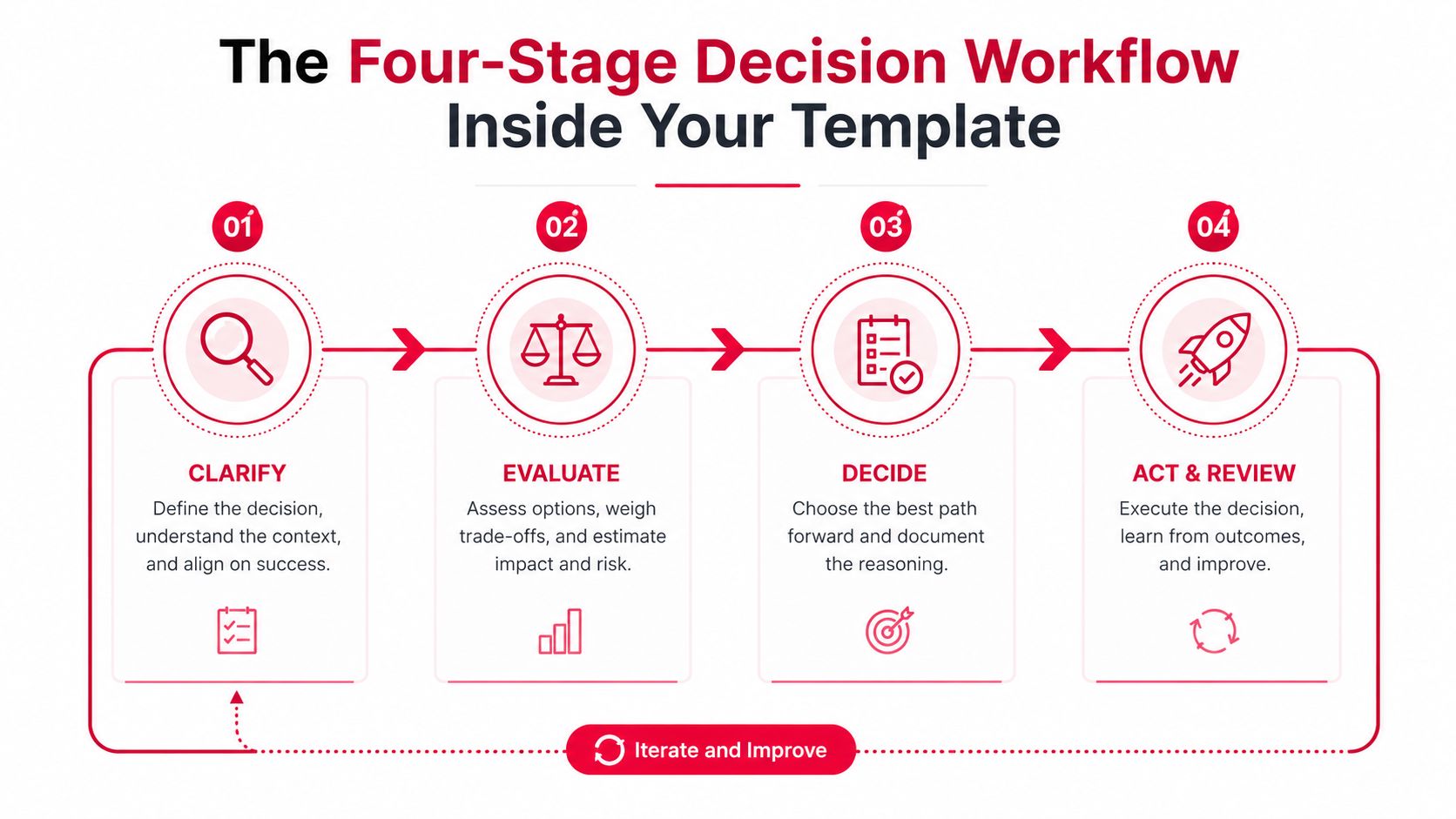
The diagram above shows the same loop in generic terms — clarify, evaluate, decide, then act and review — with an arrow back to the start. Name the stages whatever your group will actually read. The important distinction is that your template must move people toward a decision. A document that merely displays options leaves the hardest work untouched.
Building the Survey and Voting Block
The survey is where you stop the loudest person from designing the trip by default. Use Google Forms feeding into Google Sheets, a Notion form, or an Airtable interface. Keep responses private until the organizer has cleaned the data and removed identifying details from sensitive constraints.
Copy these questions directly into your survey:
- Which date windows can you travel?
- What's your maximum comfortable budget tier, Low, Mid, or High?
- Is your passport ready for the proposed destinations?
- Which experiences matter most, beach, food, culture, nightlife, nature, shopping, or rest?
- What dietary requirements must the group accommodate?
- What mobility or accessibility considerations should the plan respect?
- What's one activity or experience that the group must include?
- What's one hard no-go?
- What energy level suits you, relaxed, balanced, or packed?
- What wildcard destination or activity should the group consider?
Use exact column headers so the file stays readable:
Traveler | Date Windows | Budget Tier | Passport Ready | Dietary Needs | Mobility Needs | Must-Do | No-Go | Vibe Tags | Energy Level | Destination Vote | Status
For ranking, score each destination with a weighted match formula. A practical model is:
Match Score = Budget Compatibility + Date Overlap + Destination Alignment + Vibe Overlap
In Google Sheets, if those component scores sit in columns J through M, use:
=SUM(J2:M2)
Keep the components visible. A single opaque score creates arguments. Four visible components show whether Lisbon ranked well because dates matched, whether Marrakech won on vibe overlap, or whether Paris fell behind because the budget tier didn't fit.
The voting block should use 3 points for a top pick, 1 point for a second choice, and no points for other options. Add a separate No-Go column so a destination with a strong average can't survive a serious constraint.
| Traveler | Top Pick (3 pts) | Second (1 pt) | No-Go | Budget Tier | Match Score | Final Rank |
|---|---|---|---|---|---|---|
| Traveler A | Lisbon | Marrakech | London | Mid | ||
| Traveler B | Marrakech | Lisbon | Paris | Low | ||
| Traveler C | Lisbon | Paris | Dubai | Mid | ||
| Traveler D | Lisbon | Marrakech | Rome | Mid | ||
| Traveler E | Marrakech | Lisbon | Paris | High | ||
| Traveler F | Lisbon | Marrakech | London | Mid |
Use COUNTIF to total top-choice votes and a points column to calculate ranked-choice scores. If the top two destinations tie, favor the option with the highest minimum individual score, not the highest average. That rule protects the person who would otherwise be stranded by a group consensus that works only for the majority.
Send the survey with a 72-hour deadline, and state the consequence clearly: no response means the organizer records the default budget tier and no destination veto. For more ideas on structured choices, see this decision-making tool. The tool matters less than the deadline and the consequence. Without both, your survey is just another unanswered message.
Designing the Itinerary Layer for City Breaks and Weekend Getaways
For most leisure groups, anchor plus buffer beats a fully scheduled itinerary. Lock the shared experiences that justify the trip, then protect space for rest, solo wandering, shopping, weather changes, and optional splits. A group visiting Lisbon, Barcelona, Paris, or Marrakech doesn't need every coffee stop assigned to a time slot.
Use an itinerary sheet with these columns:
Day | Anchor Time | Activity | Lead Person | Booking Ref | Buffer Note
The buffer isn't empty space. Label it Free, Rest, or Optional Split, so nobody treats unscheduled time as a planning failure.
A Lisbon Friday to Sunday example
| Day | Anchor-Plus-Buffer (Leisure Groups) | Fully-Scheduled (Corporate/Sport/Bachelor) | Best Fit |
|---|---|---|---|
| Friday | 19:00 Time Out Market and Bairro Alto, arrival buffer before dinner | Fixed transfers, welcome briefing, scheduled dinner | Leisure arrival with staggered arrivals |
| Saturday | 10:00 Sintra train, buffer after return, 20:00 fado dinner | Timed training, group meal, evening programme | City break, or tightly managed retreat |
| Sunday | 09:00 LX Factory brunch, buffer for packing, 13:00 return airport window | Fixed checkout, transport waves, departure checklist | Leisure departure day |
The Lisbon grid works because it gives the group a shared spine without pretending everyone has the same pace. One traveler can stay longer in Sintra, another can rest at the accommodation, and both still return for the fado dinner.
A fully scheduled format has a place. Use it for corporate offsites, sport retreats, or tightly budgeted bachelor weekends where transport, attendance, and timing can't drift. Even then, assign one person to own each movement and keep the booking reference beside the activity.
For a broader city-break planning approach, use this guide to plan a city break. The rule is simple: two or three anchors can create a coherent day. Everything else should earn its place by solving a real logistical problem.
Resolving Conflicts and Distributing the Planning Load
The trip usually doesn't fail because the group can't find attractive activities. It fails because someone discovers too late that the restaurant can't accommodate a dietary requirement, the walking route doesn't suit a traveler, or the agreed budget excludes a participant.
The research points to this coordination burden rather than to a need for more decorative spreadsheet features. Joint travel decisions remain poorly explained by models built on one member's account of the trip, which is why researchers now gather preferences, alternatives, and the actual discussion from every member of a group, as set out in a survey method for observing joint travel choices.
Put constraints before preferences
Create a Constraints column on the roster sheet and a separate Non-Negotiables block. Lock dietary, mobility, passport, and visa-related entries before voting opens. The destination list should then flag conflicts automatically.
Use these fields:
- Dietary: Vegetarian, halal, allergy, other requirement
- Mobility: Walking tolerance, stairs, transport needs
- Documents: Passport ready, visa check required
- Budget: Low, Mid, High
- Risk: Flexible, moderate, conservative
Don't expose sensitive details to the whole group unless the traveler agrees. Show the operational result, such as “restaurant must support halal options,” rather than turning a personal requirement into a public debate.
Budget needs the same discipline. Use Low, Mid, and High bands instead of asking people to announce exact spending limits in the chat. Weight the vote toward the option that works for the median traveler, not the person with the highest spending power. A premium activity can remain optional without making the whole itinerary premium.
Make labor visible
Assign one lead per domain:
- Flights: route and arrival coordination
- Accommodation: rooms, deposits, and cancellation terms
- Ground transport: airport transfers and trains
- Food: restaurant research and dietary checks
- Activities: anchors and reservations
- Money: deposits, reimbursements, and final reconciliation
Put initials in the Lead column on every itinerary row. The organizer should own the decision process, not every individual task.
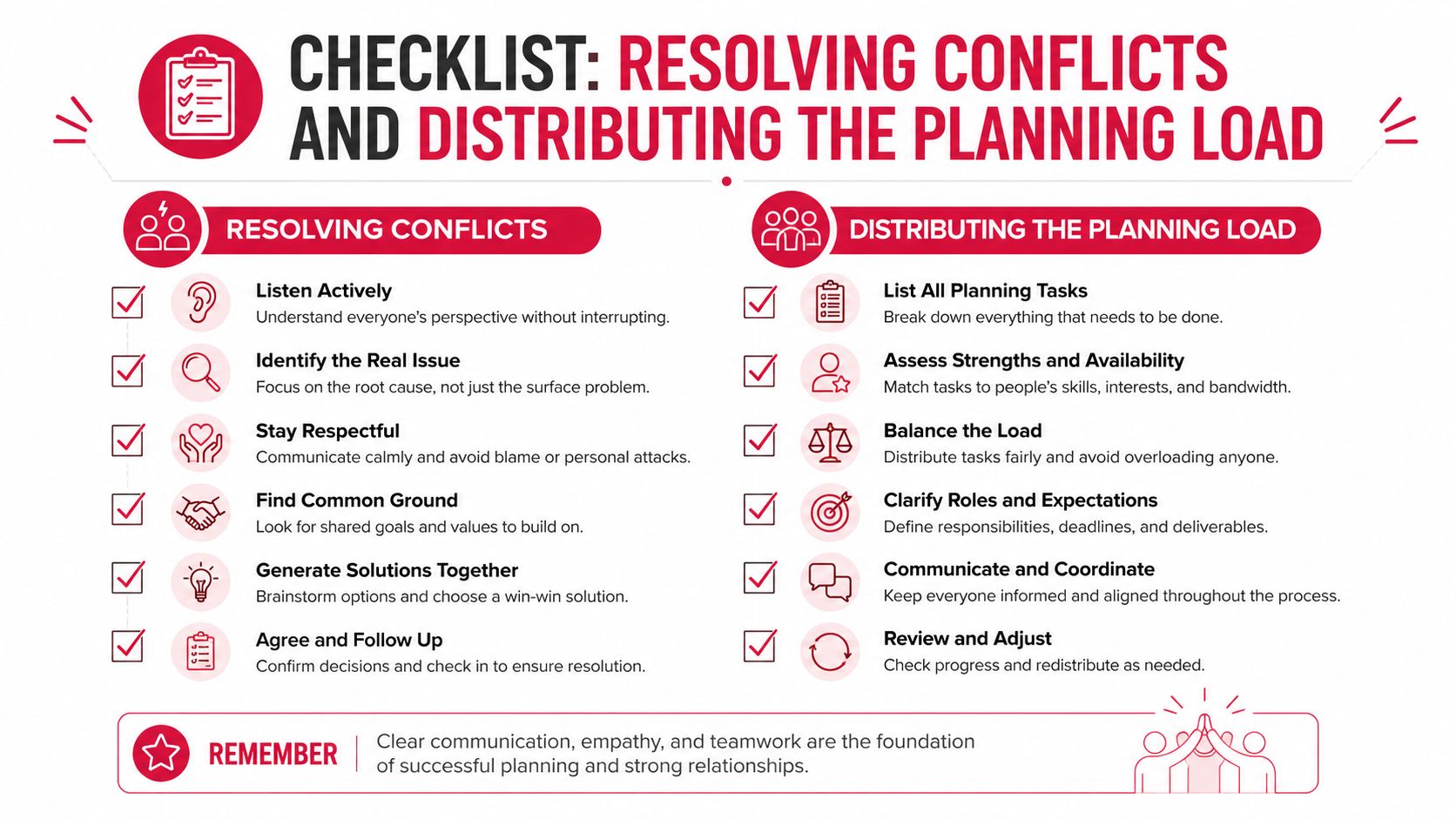
The activity itself is secondary to the planning principle. Give people a clear opt-in, record the constraint, assign the lead, and stop making one person carry the entire trip.
Linking the Template to Booking and Confirmation Workflows
A vote isn't a plan until the chosen option becomes a confirmed reservation. The template should make that handoff obvious, with one booking row for every flight, accommodation, transfer, restaurant, and anchor activity.
Add these fields to the itinerary and accommodation sheets:
| Column | Purpose | Example Value |
|---|---|---|
| Booked? | Tracks reservation status | Pending |
| Deposit Status | Shows payment position | Held |
| Confirmation Ref | Stores the supplier reference | L8Q4R2 |
| Booking Owner | Names the person responsible | KA |
| Deadline Date | Prevents unattended expiry | Before supplier deadline |
| Shared Inbox Label | Groups confirmation messages | TripBook-2026-Lisbon |
| Notes | Captures cancellation or access details | Free cancellation noted |
Use a single status vocabulary: Yes, No, and Pending for bookings, then Paid, Held, and Refunded for deposits. Conditional formatting can turn an overdue deadline red. That small visual cue is more useful than a dashboard full of decorative charts.
Create a shared inbox label such as TripBook-2026-Lisbon. Booking owners forward confirmations into that label, and the money lead records the reference in the matching row. If your system supports parsing, confirmation emails can populate fields automatically. If not, assign one person to perform a daily reconciliation during the booking window.
For shared costs, calculate the standard share with:
=Total Cost / Headcount
Then add an adjustment field for room upgrades, private transfers, or activities that only some travelers join. Never bury those exceptions in chat. Put the person, amount, reason, and payment status beside the original cost.
A one-page confirmation PDF should be the final output. Include destination, dates, accommodation address, anchor bookings, transfer details, payment status, emergency contacts, and the name of each domain lead. The group chat should receive one pinned document, not twelve screenshots.
If your team needs a separate system for comparing and managing tour reservations, review best tour booking software. The principle remains the same: every booking needs an owner, a reference, a deadline, and a visible status.
Rollout Checklist and Common Questions
Pin this rollout plan in the trip chat. Use the deadlines to make responsibility visible, not to create unnecessary pressure.
- 8 weeks out: Survey live, destination shortlist prepared, sponsor chosen.
- 6 weeks out: Votes locked, decision recorded, deposit split sent.
- 4 weeks out: Flights and anchor hotels booked, buffer slots selected.
- 2 weeks out: Final headcount confirmed, dietary cross-check completed, share-room roster published.
- 1 week out: Confirmations checked, group-chat message pinned, emergency contacts distributed.
“Sponsor chosen” means the person or lead responsible for a defined planning domain, not a person who funds the trip. Assign that role early so the organizer isn't still arranging every detail close to departure.
Common questions
How do you add a late joiner without restarting the vote?
Give the late joiner the locked destination, budget bands, constraints summary, and current itinerary. Let them vote only on unbooked activities. They can join existing anchors if capacity and payment terms allow, but they shouldn't reopen a settled destination decision.
How do you handle mixed budgets without singling anyone out?
Use Low, Mid, and High bands in the private survey. Build a shared core around the median band, then mark upgrades and premium activities as optional. The group sees the structure, not anyone's personal finances.
When should the organizer skip voting?
Skip voting when the organizer has legal, contractual, accessibility, or deadline authority that makes the choice essential. Explain the constraint once, record it in the decision block, and invite input on the flexible parts.
How should the template work for a destination wedding or wedding-adjacent weekend?
Lock the wedding events first, then build optional anchors around them. Keep arrival windows, ceremony transport, dress requirements, dietary details, and recovery time in separate blocks. Guests shouldn't have to vote on an event they must attend.
What's the cleanest way to archive it for repeat use?
Duplicate the finished file, rename the copy with the destination and travel dates, remove passport and payment data, and preserve the decision rules, column headers, formulas, and ownership fields. The next Lisbon, Rome, Dubai, or Amman trip should start from a proven operating model, not a blank worksheet.
A good template leaves the group with fewer decisions, clearer owners, and enough flexibility to enjoy the destination. Build the survey, set the deadline, lock the vote, and make the first booking row today.
MyPerfectStay helps groups capture private preferences, compare activities through match scores, vote on a shared plan, and keep the confirmed itinerary in one place. Visit MyPerfectStay to turn your next Europe or MENA group trip from a chat debate into an organized, bookable plan.