How to Add Friends for Group Trips
September 6, 2026·MyPerfectStay
You're trying to organize a group trip to Paris, Barcelona, or Marrakech. One friend is on WhatsApp, another checks email once a week, someone else hates creating accounts, and the family member with the final decision is still waiting for a link. You tap Add Friend, send a vague message, and hope the planning somehow becomes orderly.
It won't. How to add friends for a group trip is a routing problem before it's a button problem. Choose the invite channel based on group size, privacy needs, and technical comfort, then give people a clear action, a deadline, and one reliable place to return to.
Table of Contents
- Why Adding Friends Is Really a Channel Decision
- Sending a Link Invite That Everyone Actually Opens
- Choosing the Right Invite Method for Your Group
- Using Contacts, SMS, Email, and QR Codes in Real Travel Settings
- Privacy Settings Every Organizer Should Lock Down First
- Getting Past the Awkwardness of Sending and Following Up
- Organizer Habits That Keep the Group Engaged Until Departure
Why Adding Friends Is Really a Channel Decision
Most organizers choose the channel they personally use most. That's backwards. The right method depends on who needs to respond, how quickly they need to respond, and what information they should see before joining.
A four-person weekend in Lisbon can run smoothly with one private link. A large reunion spread across London, Rome, and Dubai may need email, SMS, and a QR code because not everyone checks the same app. Workplace friendships and nearby communities often grow through repeated contact, too. A YouGov friendship survey of 1,254 US adults found that most people have made at least one friend through work (76%) or in their local neighborhood (61%), ahead of church or spiritual communities (44%). That's a useful reminder that your travel group may include colleagues, neighbors, relatives, and friends of friends with very different communication habits.
Use this decision rule:
- Link invite: Best for a small group that's comfortable opening a browser and joining independently.
- Contact import: Best when you already have the travelers' phone numbers and want to avoid typing names one by one.
- SMS or email: Best when guests aren't active in the planning app or you need a durable written record.
- QR code: Best for people standing together at an airport, dinner, hotel lobby, or family gathering.
- Social share: Best for a public-leaning community where visibility and casual interest matter more than privacy.
The same principle applies to planning tools. If you're weighing platforms, use a structured decision-making tool instead of letting the loudest person choose the channel.
The job isn't to collect the most friend requests. It's to put each traveler in the path they're most likely to complete.
Sending a Link Invite That Everyone Actually Opens
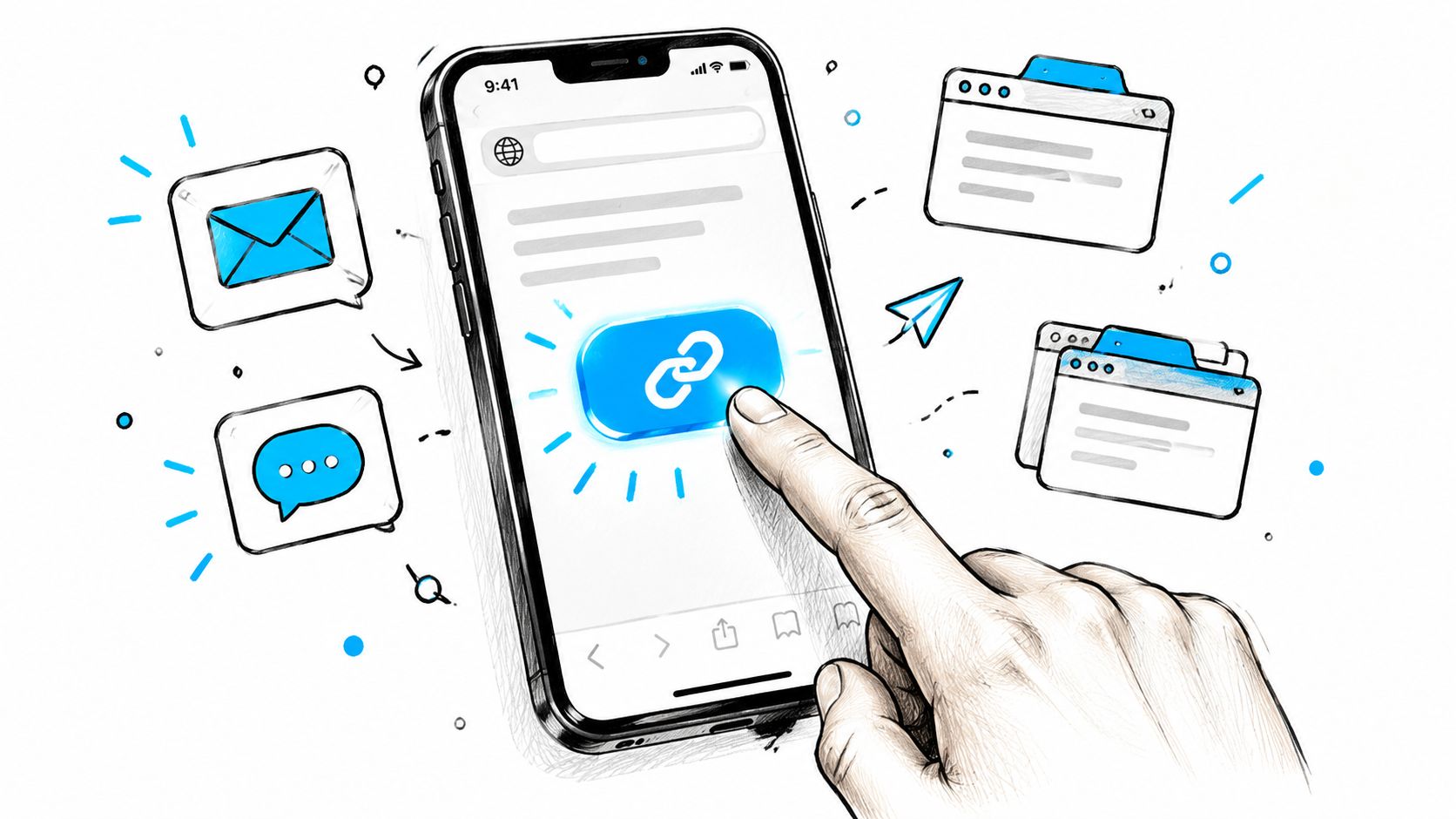
A link invite is usually the cleanest option for a small city break. People can open it in a browser, and invited travelers don't need to create an account before they see the trip or respond. The problem is rarely the link itself. The problem is sending it with no context.
Create the trip first, add the destination and dates, then open Invite Friends and generate the shareable link. Before sending it, check what the recipient will see. If the first screen is confusing, private information is exposed, or the trip title is vague, fix that before distributing the URL.
Use a message with enough information to make the decision easy:
“I'm putting together [destination] from [dates]. We're planning [short hook, such as food tours, beach time, or a birthday weekend]. Join the trip here: [link]. Please RSVP by [day and time] so we can lock the plan.”
That message works because it answers the four questions people ask: Where is it? When is it? Why should I care? What do you need from me?
Keep the link visible
Send the invite in the channel your group already watches, then pin the message. Don't make travelers search through a week of restaurant opinions to find the only link that matters.
Use a simple follow-up sequence:
- Initial send: Include the destination, dates, purpose, link, and RSVP deadline.
- After 48 hours: Nudge anyone who hasn't responded with the same link and one direct question.
- After the deadline: Mark the person as pending and ask for a yes or no, not another vague promise.
Track opens within 24 hours, not just completed sign-ups. An unopened link usually signals a delivery or context problem. A link that's opened but not completed points to uncertainty, privacy concerns, or an unclear next step.
Don't send a bare “join my trip” message. That's an invitation to postpone.
Choosing the Right Invite Method for Your Group
Five methods cover nearly every travel group. Match the channel to the moment instead of forcing grandparents, coworkers, and close friends through the same workflow.
| Method | Best Group Size | Setup Time | What Drives Response | Privacy Level | Best Use Case |
|---|---|---|---|---|---|
| Link invite | 2 to 8 | Fast | Message clarity and urgency | High when access is restricted | Small, tech-comfortable trips |
| Contact import | 3 to 15 | Fast | Accuracy of your saved contacts | Medium | Existing phone contacts |
| SMS or email blast | 6 or more | Moderate | Timing and relevance | Medium to high | Large or formal trips |
| QR code | 15 or more, or people together in person | Fast once created | Being shown face to face | High when the code is controlled | Airports, dinners, reunions |
| Social share | Public-leaning groups | Fast | Reach of the post, not the ask | Low to medium | Community discovery and casual interest |
Treat that last column as a planning judgment, not a promise. No channel guarantees participation, and there's no verified universal average for invite responses. Clear context, a specific deadline, and low-friction access matter more than the label on the channel.
For a bachelor weekend in Dubrovnik, start with a private link and keep SMS as backup. For a multigenerational trip to Vienna, use email for the formal invitation and QR codes during the family dinner. For a creator-led group considering an Istanbul food itinerary, a social share may attract interest, but move confirmed travelers into a private planning space quickly.
Practical rule: Use the least public channel that still reaches everyone without extra effort.
The wrong choice creates predictable failure. A QR code sent by email gets ignored. A social post containing private dates exposes too much. An email blast to close friends feels formal and slows down a simple decision. Choose the channel first, then write the message around the group's actual habits.
Using Contacts, SMS, Email, and QR Codes in Real Travel Settings
Contact import is the speed option when the travelers are already in your phone. Open the trip's share sheet, select contact import, review the matched names, and remove duplicates before sending. Don't import blindly. Skip sensitive or ambiguous entries, such as an ex, a client, or a coworker whose number you saved for an unrelated reason.
SMS is better for last-minute travelers and parents who don't want another login. Keep the message compact:
“Join our Marrakech trip: [link]. Dates: [dates]. Please reply yes or no by [day].”
Email earns its place when the trip is formal, spans time zones, or needs an itinerary attached. Use a subject such as “Please confirm: Barcelona group trip, [dates]”. Put the link near the top, explain the decision deadline, and include a plain-text fallback for anyone who can't open the invitation.
QR codes are the in-person weapon. Display one at a group dinner, print it on a family reunion invitation, or show it at the airport when a late-arriving traveler lands. Open the trip screen, choose Share, select QR code, and save or display the generated code. Test it on someone else's phone before relying on it. A code that works on your device but fails on a stranger's browser is not ready for the gate or hotel lobby.
| Setting | Best Channel | Why It Works | Tip |
|---|---|---|---|
| Airport meeting point | QR code | People can scan without typing | Keep the code on a bright screen |
| Family dinner | QR code and email | Immediate access plus a record | Print a backup card |
| Last-minute add-on | SMS | Reaches the traveler directly | State the deadline in the first message |
| Multi-generational reunion | Supports details and attachments | Use a clear subject line | |
| Existing close-friend group | Contact import | Names are already available | Review duplicates first |
Whichever channel you lead with, test the access route before the moment you depend on it. A code that has never been scanned, or a link nobody has opened from outside your own account, is an untested assumption at the exact point where a delay costs you the group.
Privacy Settings Every Organizer Should Lock Down First
Never send an invite before checking what acceptance reveals. Many platforms default toward easy sharing, but a group trip often contains budgets, addresses, flight details, photos, and personal schedules that don't belong in front of every traveler.
Start with trip visibility. Use private access when the guest list is fixed, link-only access when you want controlled sharing, and discoverable access only when the trip is intentionally open. Then review member-list visibility. A friend joining for one evening in Rome may not need to see every guest, especially when the group includes coworkers or family members who haven't met.
Check these controls before distribution:
- Budget visibility: Hide the cost-splitting tab from guests who aren't paying for the full itinerary.
- Location visibility: Keep the accommodation address hidden until the RSVP is confirmed.
- Photo access: Restrict albums if the trip includes children, work contacts, or people with different privacy preferences.
- Roles: Give co-organizer access only to people who need to edit plans, not everyone who wants to vote.
- Travel details: Keep flight numbers visible to the organizer unless the group needs them.
Facebook illustrates why platform settings deserve attention. Its Help Center says personal profiles can have up to 5,000 friends, that nobody can accept a request from an account already at that limit, and that the ways past it are to unfriend someone, turn on pro mode, or follow instead of friending (Facebook's friend limit guidance). Facebook also lets users set who can send them requests to Everyone or Friends of Friends, which changes whether the Add Friend button appears at all (how to change who can add you as a friend).
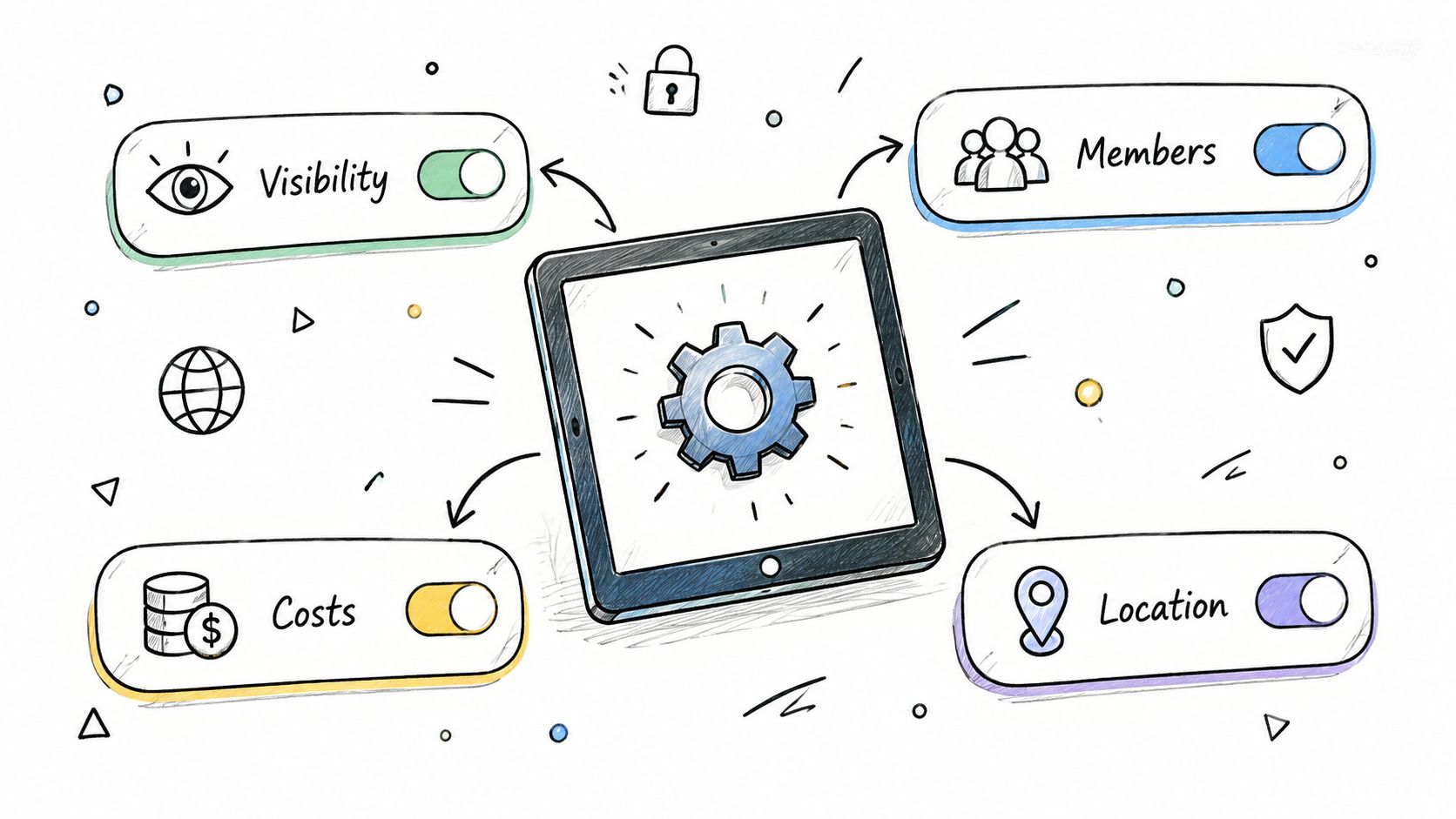
Run a one-minute check: visibility, member list, budget, locations, photos, roles, and link revocation. MyPerfectStay's privacy controls are relevant when different traveler roles need different access inside one trip rather than separate copies of the itinerary.
Getting Past the Awkwardness of Sending and Following Up
People often hesitate because they underestimate how welcome they are. The APA describes this as the liking gap, the tendency to assume other people like us less than they do (the APA's explanation of making and keeping friends). That matters on group trips. A person may want to come but avoid being the first to respond publicly.
Don't disguise the ask as a vague announcement. Write the decision you need.
- Close friend: “I'm booking Marrakech for [dates]. I want you there. Can you confirm by Thursday?”
- Work friend: “A few of us are planning Lisbon for [dates]. No pressure, but please reply yes or no by [day].”
- New friend group: “We're putting together a Barcelona weekend around food and neighborhoods. Join if that sounds like your kind of trip.”
- Friend of a friend: “You came up through [mutual friend]. We're planning [destination] on [dates]. Here's the private invite if you'd like to take a look.”
Use a 48-hour nudge that assumes nothing: “Quick check, did you get the trip link? I'm closing the first guest list on [day].” For the week-of follow-up, ask only for logistics, such as arrival time or activity preference. For a non-responder, send the clean drop: “I'm finalizing numbers, so I'll mark you as not joining for now. If plans change, message me before [date].”
Don't send repeated emotional appeals. Three follow-ups is enough. The guide to avoiding WhatsApp tyranny is useful context for keeping planning focused instead of turning the group chat into a permanent obligation.
A clear no is healthier than a silent maybe. It protects the traveler from pressure and protects the organizer from building rooms, transfers, and reservations around imaginary attendance.
Organizer Habits That Keep the Group Engaged Until Departure
Group trips don't fail because nobody cares. They fail because nobody knows what to do next. Give every invitation a deadline, every update a purpose, and every primary channel a backup.
Use the 72-hour invite window
Send the link, nudge non-responders at 48 hours, and close the window by re-sharing the same link three days after the first send. Don't create a second invite or change the wording so much that people wonder whether the first one is still valid. The day between that nudge and the close is where most of the late yeses arrive, so keep the follow-up direct and easy to act on.
Message shape:
“You haven't opened the trip invite yet. We're confirming the first plan today. Please use this link and select yes, no, or maybe: [link].”
Send a weekly trip pulse
Once a week, post three things: the next action, the confirmed roster, and one unresolved decision. For example: “Next step: choose the Saturday activity. Confirmed: Ana, Karim, Jo, and Marta. Open decision: museum tour or food walk.” That format prevents the chat from dissolving into unrelated restaurant photos.
Keep a parallel contact list with phone numbers and email addresses. If an invitation bounces, a traveler changes devices, or someone misses the app notification, you can switch to SMS or email without reconstructing the guest list from memory.
Escalate during the final week
- T-7 days: Send the full roster reminder, including who still needs to confirm.
- T-3 days: Send the logistics snapshot with meeting point, transport, and unresolved choices.
- T-1 day: Send the arrival sheet with times, addresses, emergency contact details, and the first planned activity.
Use this quick-reference rule:
| Method | One-line use case | What drives response | Best moment to send |
|---|---|---|---|
| Link invite | 2 to 8 close, tech-comfortable travelers | Clarity and urgency | At the start of planning |
| Contact import | 3 to 15 people already saved in your phone | Accuracy of your saved contacts | When the guest list is known |
| QR code | 15 or more guests, or people together in person | Being shown face to face | At dinner, arrival, or a reunion |
| SMS | Last-minute or mixed-tech travelers | Direct delivery to the handset | Near the decision deadline |
| Older, formal, or detail-heavy groups | Subject line and timing | Early planning with itinerary details |
Pick one primary channel and one backup channel before sending the first invite. For a small group, that might be a link plus SMS. For a family reunion, email plus QR code. For a workplace retreat, email plus a private link.
The habit that separates a launched trip from an abandoned group chat is simple: follow up with a decision, not another announcement. Every message should tell travelers what changed, what they need to choose, and when you'll move ahead without a response.
MyPerfectStay lets you create a shared trip, invite travelers through a link without requiring an account or app download, collect private preferences, and coordinate votes, activities, and itinerary details in one place. Visit MyPerfectStay before you send the first invite, choose your primary and backup channels, and give the group a clear path from “maybe” to confirmed.