Collaborative to Do List: How to Build One That Gets Done
November 11, 2026·MyPerfectStay

A group chat is not a plan. It looks like one for the first two days, when everyone is enthusiastic and the destination is still theoretical, and then someone asks the same question for the fourth time and nobody can remember whether the apartment was booked or just discussed. Three people have added ideas, two have dropped out of the conversation entirely, and the one person with the deposit details has gone quiet.
That gap between activity and progress is where a collaborative to do list earns its place. Not as a nicer version of the chat, but as the single record of who is doing what, by when, and what's still waiting on someone else. The same failure shows up in Lisbon long weekends and company offsites to Barcelona: the list lives in six heads and one chat thread, and no head holds the whole thing.
A shared list works when it is boring, specific and named. One item, one owner, one date. Everything below is about getting to that state and keeping it there without turning a holiday into a project management exercise.
Table of Contents
- Roles Every Shared List Needs Before Day One
- How to Build the List Step by Step
- Assigning Owners and Deadlines That Hold
- Nudges That Get Replies Without Nagging
- Fixing Stalled Lists and Missing Participants
- Lock the Plan and Start This Week
- Connecting the List to Chat, Calendar and MyPerfectStay Tools
Roles Every Shared List Needs Before Day One
Six friends are planning a long weekend in Lisbon. Someone creates a group chat, three people post restaurant ideas, one posts a flight deal, and then the same dinner question gets asked four times across two days. Nobody owns the list because there is no list. There's a scroll.
Add roles and the same group behaves differently. Four roles cover almost every group trip or offsite, and none of them requires anyone to become a project manager.
| Role | What they do | How many per list |
|---|---|---|
| Organiser | Creates the list, sets deadlines, locks the final plan | One per list |
| Task owner | Finishes one item and marks it done | One per task |
| Decider | Approves the budget or the final pick when options conflict | One per decision |
| Contributor | Adds ideas, votes, flags conflicts | Everyone on the trip |
The counts matter more than the labels. A group of six needs exactly one organiser, and that person should not also be chasing every booking. It needs one decider per contested decision, because a tie between Sintra and a sailing day does not resolve itself through more messages. And it needs up to six task owners across a week of work, since every task that has a name beside it can move without a meeting.
The intention is rarely the problem. TeamDynamics' 2024 State of the Team report found that 70% of surveyed individuals preferred detailed team plans, but only 27% said their teams followed them. People want the plan. They just don't have anyone accountable for each line of it.
The one-name test: if a task has no name next to it, it will not happen. Not late, not eventually. It will quietly become a question in the chat three days before departure.
Run that test on your current list right now. Open it and read each item aloud. The ones where you hesitate before saying a name are the ones that will still be open in a week. Fix those first, before adding a single new idea to the list.
How to Build the List Step by Step
Step 1: Enter the basics. A destination, a rough date and who is coming is enough to create the first list. MyPerfectStay works the same way: to start a trip, the organiser enters a destination, a rough date, and who is coming. You don't need flights, a final headcount or a budget spreadsheet to begin. You need a name for the thing you're planning.
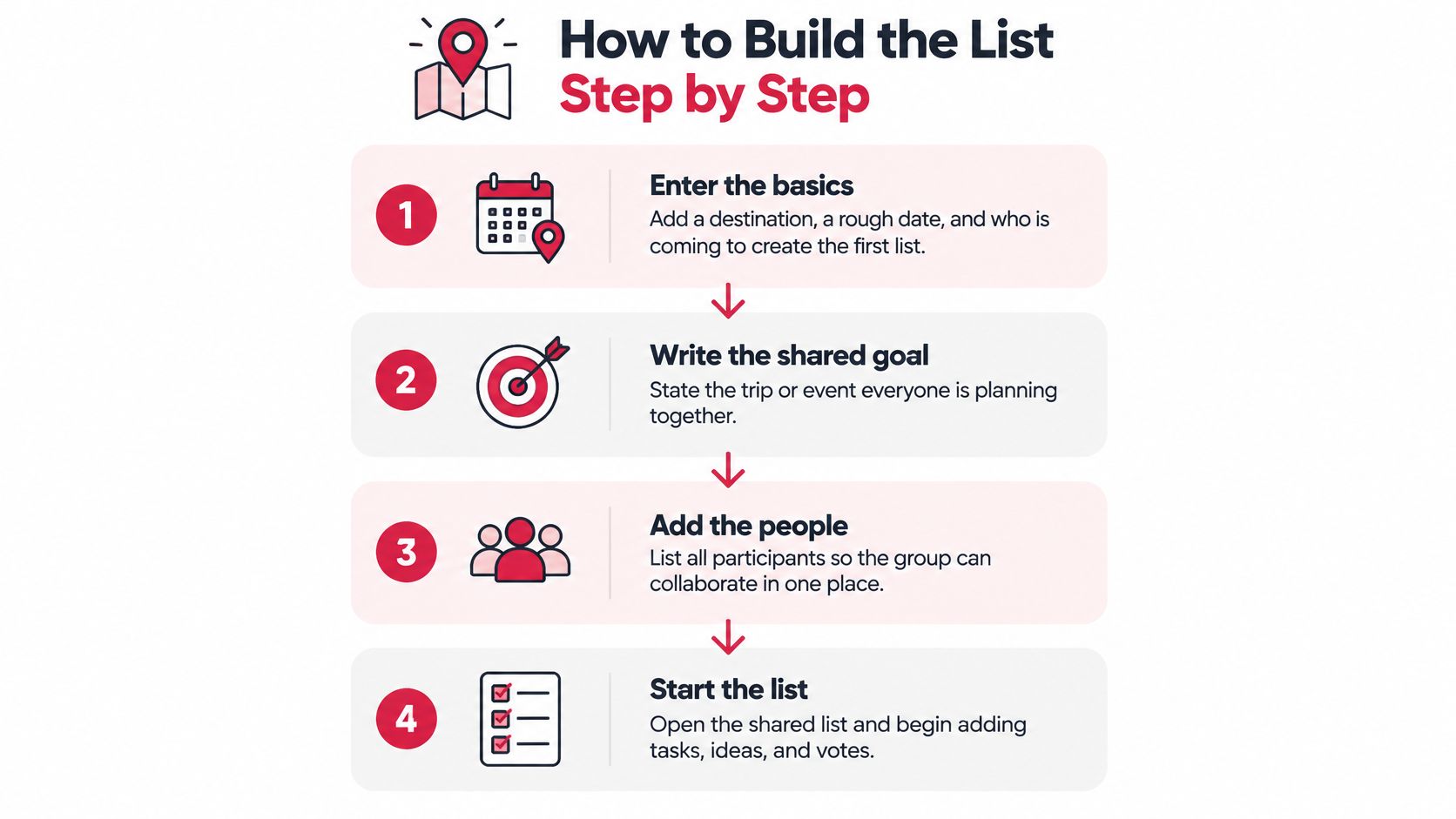
Step 2: Write the shared goal in one line. "Four days in Dubrovnik, under 600 euros each, nothing before 10 am" does more work than a paragraph of intentions, because it contains numbers and constraints that settle arguments later. A goal with no number in it becomes an endless debate about what counts as affordable. If you want a structure to hang this on, this free travel planner template gives you the frame before the ideas arrive.
Step 3: Split the goal into atomic tasks. Each item should be a single action: "shortlist three ferry operators," not "plan the boat trip." The difference isn't pedantry. "Plan the boat trip" has no finish line, so nobody starts it, and nobody can mark it done. The Nature Scientific Data analysis of seven years of time-tracking records found that dividing project goals into a greater number of tasks was positively associated with project success, and that only 42% of tasks were classified as successfully completed overall. More small tasks, fewer vague ones.
Step 4: Assign exactly one owner per task. Two owners means zero owners. The moment a task belongs to two people, each assumes the other is handling it, and the item survives a full week without a single message.
Step 5: Set one deadline per task. Not a week, not "before we go." A date. A task with a range is a task with no deadline.
Step 6: Mark dependencies. Book the flights before the apartment, confirm the apartment before the airport transfer. Dependencies are what stop a group from discovering on Thursday that the accommodation was conditional on a booking nobody made.
Step 7: Write a completion condition. "Receipt uploaded to the trip" is checkable. "Payment sorted" isn't. If two people can disagree about whether an item is done, the item is written wrong.
Step 8: Review weekly and close abandoned items. Anything nobody has touched in seven days gets reassigned or deleted. A list that only grows stops being read.
Daily habits help here, and a simple daily checklist from Family Xchange is a decent model for the small recurring items that otherwise clog the main list. By day three, a healthy list has most items owned, two or three overdue at most, and every open decision visible in one place. If it looks like a backlog of unmade decisions, the build stage isn't finished.
Assigning Owners and Deadlines That Hold
Deadlines set in a call rarely survive the call. In 2024, 83% of team leaders and 77% of employees reported difficulty finding time on other people's schedules to connect, according to a Morning Consult survey commissioned by Zoom covering 7,969 full-time knowledge workers across 15 countries. If people can't even find a slot to talk, they won't find one to remember a verbal commitment. So put the deadline on the item and the item in the list.
Set deadlines by task type rather than by feel.
| Task type | Deadline rule | Example |
|---|---|---|
| Preferences and votes | 3 days after the invite | Shortlist votes due Friday for a Saturday arrival |
| Bookings | About 14 days before the date | Apartment booked two weeks before a city break |
| Payments and deposits | 7 days before the booking deadline | Each share paid in by Tuesday |
| Preparation items | 1 day before departure | Tickets saved to phone the evening before |
The logic behind each row is different. Votes need a short window because opinions don't improve with time, they just get repeated. Bookings need a buffer because availability disappears and prices move. Payments close before bookings so the organiser has a week to chase the one person who always needs chasing. Preparation items land the day before because passports and tickets are only useful when they're on the phone in your hand. When the dates themselves are the sticking point, this guide to scheduling a group trip walks through the timing decisions in order.
Pick the owner by information, not availability. The person who already has the login, the dietary requirements, or the relationship with the landlord is the right owner, even if they're the busiest. Handing a task to whoever is most responsive creates a second conversation where the responsive person asks the informed person what to do.
A deadline without an owner is just a date on a calendar. It will pass, and nobody will feel responsible for it passing.
When a deadline slips, handle it on the list and nowhere else. Reassign the item, add a one-line note on why it slipped, and move the date. No group debate, no apology thread, no votes on whose fault it was. The recovery takes thirty seconds and keeps the group's attention on the items that still matter.
The rule to apply immediately: write the owner's name and the deadline on the same line, every time. "Apartment, Ana, by 14 March." Anything less and you've written a wish.
Nudges That Get Replies Without Nagging
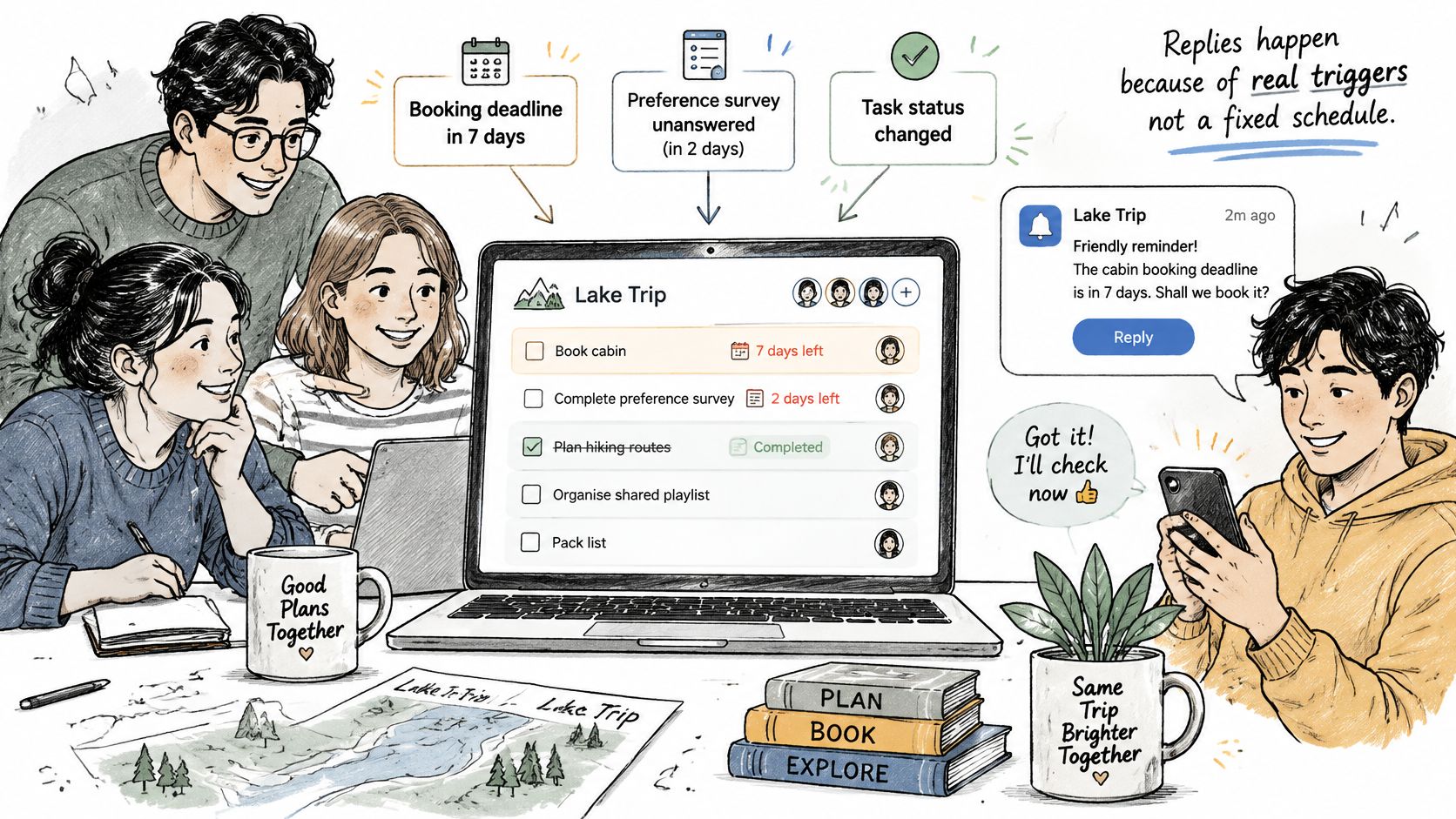
Scheduled reminders train people to ignore you. Event-driven nudges don't, because each one arrives attached to something real: a booking deadline seven days out, a preference survey still unanswered after two days, a task one day overdue, a plan about to lock. The trigger is the event, not the calendar.
Send the nudge to the person who owns the item. Copying the whole group turns a private reminder into public pressure, and people respond to public pressure by going quiet. Only widen the audience when the decision needs everyone, such as a budget that has to rise or a date that has to move.
The checklist for a nudge that works:
- One nudge per event, never repeated within 24 hours. Repetition reads as panic.
- Name the item and the date, so the message can be answered without opening anything else.
- Offer a way out. "Reply yes, no, or pass to Ana" turns a reminder into a decision.
- Send in the recipient's morning. A nudge at 11 pm local reads as an emergency.
- Agree a quiet window at setup. No nudges during the weekend before departure unless something is broken.
Teams that coordinate this way move faster than groups that don't. A single named reminder gets a reply because it's small and specific. Five general pings get muted, and once muted, they stay muted for the rest of the trip.
When many items are open at once, summarise instead of nudging. One message every Sunday: what's done, what's open, who holds each item. That's a status update, not a chase, and it gives quiet members a low-pressure way back in. Organisers who run recurring alerts for sports clubs and similar groups can borrow from how sports team alerts are managed, where the pattern is the same: a specific event, a specific person, a clear action.
"Your item is due Thursday. Reply here if you need a day more."
Copy that line and use it. It names the item, names the day, and gives the person a dignified exit instead of a deadline they'll miss.
Fixing Stalled Lists and Missing Participants
The most common failure isn't a bad list. It's a list that's full and hasn't moved in a week. Almost always, the cause is a task assigned to "the group" or a decision that got made in the chat while the list kept showing it as open. Adding more messages never fixes either, because the problem is structural, not communicative.
| Symptom | Likely cause | Fix |
|---|---|---|
| Tasks sit unclaimed for days | Assigned to "the group" | Assign one named owner per task |
| Same question asked in chat and list | Two sources of truth | Move each decision into the list and link the chat |
| Late joiner cannot see the plan | Required an app download or account | Share an invite link that opens in a browser |
| Overdue items pile up | Too many open tasks per person | Cap each person at three open tasks |
| Quiet members never reply | Preferences feel too public | Keep budget and constraints private, share only the resulting task |
Ownership fixes take a day. Changing how a group shares information takes a full planning cycle, because you're rewriting a habit, not editing a line.
Late joiners deserve their own answer, because they're the most common reason a good list dies. A cousin added on Tuesday, a colleague joining the offsite late, a partner who wasn't in the original conversation: none of them will install an app or create an account to see a weekend plan. Share a link that opens in a browser and they're in. That's how MyPerfectStay handles it: group members are added by sharing a link, and they don't need to download an app to be added.
Privacy is the other half of participation. Someone with a tight budget or a dietary restriction will disengage rather than broadcast it to eleven people. Keep the constraint private and share only the resulting task. And keep the trip's material with the trip. Every link, photo, and "maybe?" shared in a trip stays with that trip instead of being buried in a group chat, so nobody has to ask for the apartment confirmation for the third time.
For a fuller breakdown of why lists lose their authority over time, this piece on why task lists fail teams covers the decay pattern well.
The rule: if the same symptom appears twice in a week, change the setup, not the message.
Lock the Plan and Start This Week
Six people, three options, no decision. A sailing trip, a food tour, a day in Sintra, and a chat that keeps reopening the question because nobody wants to be the one who picks. Groups often end up losing a week over this.
Voting ends it because it has an end. The group votes on the shortlist inside the three-day window, the decider settles any tie, and the group books the winner together rather than splitting into separate payment threads. In MyPerfectStay, friends vote on activities, the group books the winning activity together, and the whole group pays in one checkout.

Locking is the last step, and it's a check rather than a rebuild. The organiser walks the list with each owner, confirms that every open item has a name and a date, reassigns anything unclaimed after 48 hours, and marks the plan locked with the lock date visible on the list. Locking doesn't forbid changes. It makes changes deliberate, which is the difference between a plan that shifts once and a plan that never settles.
The cost of skipping this is measurable. In 2024, 93% of executives said their teams could deliver similar outcomes in half the time if they collaborated more effectively, according to Atlassian's survey of 5,000 knowledge workers and 100 Fortune 500 executives. Half the time, on the same work. Most of that gap is coordination, not effort.
This week, in order:
- Create the list today, with the destination, a rough date and who's coming.
- Assign owners and dates in the first conversation, not the third.
- Send the invite link to everyone, including the people who'll say they'll "just go with whatever."
- Set the lock date and tell the group what it is.
Paste this into the chat: "I have set up our shared list. Every task has one name and a date, so pick your item and reply here."
Connecting the List to Chat, Calendar and MyPerfectStay Tools
Point the chat at the list, not the other way round. Post the list link in the group chat once, pin it, and let the chat handle nudges and questions. Every time a decision goes back into the chat, the list goes stale and people stop trusting it.
Put each deadline on the owner's calendar only. A shared calendar becomes background noise within a week. An event on the person's own calendar, named after their task, gets seen. If you need a shared view of dates, this guide to sharing a calendar with a group covers the permissions side.
Keep bookings, documents and receipts beside the list. A task that says "receipt uploaded" is useless if the file lives in a chat thread from nine days ago. When the file sits next to the task, completion is verifiable, and nobody re-asks.
Agree notification settings at the first meeting. Some members want every update. Others want alerts only for their own items. Set both preferences explicitly and write them into the list header, so nobody is guessing why a person never replied.
Check accessibility before you invite anyone. Open the list in the phone browsers your group uses, test it at large text size, and confirm it works with a screen reader. Offer a plain-text summary to anyone who'd rather read the plan than click through it. A tool that excludes one participant costs the group that person's input.
The one-minute test: ask a new member to find the booking confirmation. If they can't do it in under a minute, the setup isn't finished.
MyPerfectStay was built for exactly the situation this article describes: a group with good intentions, no shared workplace, and a chat that keeps reopening the same question. Each traveler fills in a short private survey on budget, interests and must-see ideas, the group votes on a scored shortlist instead of debating, and everyone books and pays for the winning option in a single checkout, with a shared itinerary keeping the plan visible afterwards. If you're organizing a city break, a family reunion or a team offsite in Europe or the Middle East, start a trip at MyPerfectStay and give every task one name and one date.